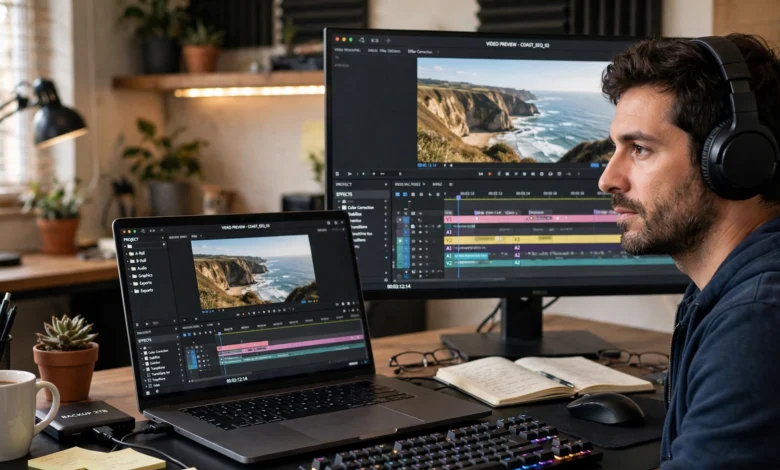
Picking the right AI video editing apps feels harder than it should be in 2027. Every tool claims to be the fastest, smartest, and most “revolutionary” option on the market, and most of that language is just noise. What actually matters is whether a tool saves you real editing time, handles your footage the way you need it to, and doesn’t lock your best features behind a confusing pricing tier.
This guide cuts through that noise. We tested and researched ten of the most capable AI video editing software options available today, covering everything from text-based editing and auto-captioning to full generative video creation. You’ll find apps built for solo creators cutting TikToks on their phone, marketing teams producing dozens of ad variants a week, and professional editors who want AI to handle the tedious parts of a timeline so they can focus on the creative decisions.
We’re also not going to pretend AI video tools exist in a vacuum. The same technology that lets you clone a voice or swap a face in seconds has already been used to commit real fraud, and that’s worth talking about honestly rather than burying it in fine print. So alongside the reviews, you’ll get a grounded look at the ethical side of this technology, including a real case where deepfake tools were used to steal millions of dollars.
Let’s get into the list.
What Makes a Good AI Video Editing App?
Before ranking anything, it helps to know what separates a genuinely useful AI video editor from a gimmick. Here’s what we weighed for every tool on this list:
- Automation quality – Does the AI actually save time (auto-captions, silence removal, scene detection) or does it just add a chat button to a normal editor?
- Output quality – Are generated clips, voice tracks, and effects usable in a final project, or do they need heavy manual cleanup?
- Learning curve – Can a beginner get a usable video out in their first session?
- Platform support – Desktop, mobile, browser-based, or all three?
- Pricing transparency – Clear tiers versus credit systems that are hard to predict.
- Commercial safety – Whether the training data and licensing are clear enough for business use.
With that framework in place, here are the 10 best AI video editing apps worth your time this year.
1. Descript – Best for Text-Based Editing
Descript built its reputation on a simple but genuinely clever idea: you edit video by editing a text transcript, and the video cuts itself to match. Delete a sentence, and the corresponding clip disappears from the timeline automatically.
Key features:
- Text-based editing that treats your footage like a Word document
- AI voice cloning (“Overdub”) to fix flubbed lines without reshooting
- Automatic filler-word and silence removal
- Built-in screen recording and podcast tools
Best for: Podcasters, course creators, and talking-head YouTubers who’d rather type than scrub a timeline.
Pricing: Free plan available; paid tiers start around $12–24/month depending on billing cycle.
Downside: It’s not built for complex multi-cam or heavily layered visual projects. Traditional editors still have more control for that kind of work.
2. CapCut – Best Free AI Video Editing App
CapCut remains one of the most downloaded AI video editing apps worldwide, and for good reason. It’s genuinely free, watermark-free, and has one of the most complete AI toolsets of any mobile editor.
Key features:
- Auto-captions with accurate speech recognition
- AI background removal and object tracking
- Templates built specifically for TikTok, Reels, and Shorts
- Text-to-speech and basic AI video generation
Best for: Social media creators and small businesses who need fast, mobile-first editing without a subscription.
Pricing: Free, with an optional Pro plan for advanced effects and cloud storage.
Downside: Advanced color grading and audio mixing tools are thinner than what you’d get in a professional desktop editor.
3. Adobe Premiere Pro (with Firefly AI)
Adobe has steadily folded generative AI into its industry-standard editor through the Firefly video model, and the result is one of the strongest combinations of AI editing tools and traditional professional control available anywhere.
Key features:
- AI-powered object addition and removal
- Text-based editing for rough cuts
- Generative extend, which fills in extra frames for shots that run short
- Commercially safe training data, which matters for brand and enterprise work
Best for: Professional editors and agencies that need enterprise-grade tools inside a familiar, powerful timeline.
Pricing: Subscription-based, roughly $22.99/month as part of Creative Cloud.
Downside: Steep learning curve for beginners, and the AI features are an addition to a complex app rather than the whole point of it.
4. DaVinci Resolve – Best Free Professional Editor
DaVinci Resolve is proof that “free” doesn’t have to mean “limited.” It remains a favorite among colorists and editors who need Hollywood-grade tools without Hollywood-grade pricing, and its AI features (branded Neural Engine) have expanded significantly.
Key features:
- AI-assisted color matching and grading
- Smart reframing for multi-platform exports
- Voice isolation and automatic audio leveling
- Facial recognition for faster clip organization
Best for: Professional and semi-professional editors who want studio-level color tools for free.
Pricing: Free version is genuinely full-featured; Studio version adds extras for around $295 one-time.
Downside: The interface is dense and not forgiving for first-time editors.
5. Runway – Best for Generative AI Video
Runway is less a traditional editor and more a generative AI video platform, and it’s one of the pioneers in turning text prompts into actual moving footage.
Key features:
- Text-to-video and image-to-video generation
- AI frame interpolation for smoother motion
- Green-screen removal without an actual green screen
- Motion brush tools for controlling how generated elements move
Best for: Creative professionals, filmmakers, and agencies experimenting with AI-generated footage rather than just editing existing clips.
Pricing: Credit-based system with a free tier; paid plans scale with usage.
Downside: Generated footage still has an unmistakable AI look in many cases, and consistency across longer clips can be inconsistent.
6. Wondershare Filmora – Best for Beginners
Filmora strikes a good balance between a real editing timeline and approachable AI editing tools, which makes it one of the more beginner-friendly options that doesn’t feel like a toy.
Key features:
- AI motion tracking and object removal
- One-click AI color and audio enhancement
- Text-to-video and AI copywriting assistant for scripts
- Large built-in library of effects and templates
Best for: Hobbyists and small content teams who want more control than CapCut without Premiere Pro’s complexity.
Pricing: Free trial with watermark; paid plans start around $49.99/year.
Downside: Some advanced AI features are gated behind higher tiers, which can get expensive if you want the full toolkit.
7. Movavi Video Editor – Best for Intuitive AI Background Tools
Movavi has carved out a niche with an interface that genuinely feels built for non-editors, paired with solid AI background and enhancement tools.
Key features:
- AI background removal without a green screen
- Automatic video enhancement and upscaling
- Noise reduction and audio cleanup
- Simple drag-and-drop timeline
Best for: Casual users and small businesses making short promotional or social content.
Pricing: One-time purchase or subscription, typically under $70/year.
Downside: Limited for advanced, multi-layer professional projects.
8. Canva AI Video
Canva’s expansion into video brought its famously simple design interface into motion graphics, and the AI layer on top makes it genuinely fast for marketing and social content.
Key features:
- Text-to-video generation from a prompt or script
- Brand kit integration for consistent colors, fonts, and logos
- Auto-resize for every social platform at once
- Stock footage and AI voiceover library
Best for: Marketing teams and small businesses that already live inside Canva for design work.
Pricing: Free tier available; Canva Pro runs about $120/year.
Downside: Not built for deep editing control; it’s optimized for speed over precision.
9. Luma AI – Best for Cinematic AI Generation
Luma AI leans into ambitious, experimental generative video, aimed at creators who want cinematic, visually striking results rather than straightforward edits.
Key features:
- High-fidelity text-to-video and image-to-video generation
- 3D capture and motion tools for more dynamic scenes
- Fast iteration for visual experimentation
Best for: Filmmakers, artists, and music video creators exploring AI-generated visuals as a creative medium.
Pricing: Free tier with limited generations; paid plans scale with credit usage.
Downside: Less suited to standard commercial or corporate video work.
10. Riverside – Best for AI-Assisted Podcast and Interview Editing
Riverside combines high-quality remote recording with AI editing tools, making it a strong pick for interview-based and podcast-style content specifically.
Key features:
- Local recording for each participant, avoiding internet-call quality issues
- Text-based editing tied to the transcript
- AI-generated clips and highlight reels from longer recordings
- Automatic show notes and captions
Best for: Podcasters and interview-based creators recording with remote guests.
Pricing: Free plan available; paid tiers start around $15–24/month.
Downside: Less relevant if your content isn’t conversation-based.
Using AI Video Editing Apps Responsibly
Here’s the part most “best of” lists skip entirely, and it matters more than any feature comparison above.
The same generative capabilities that make these AI video editing apps so useful also make them capable of real harm when misused. This isn’t a hypothetical risk. In early 2024, a finance employee at the engineering firm Arup was tricked into transferring $25 million after joining a video call where every other participant, including a convincing replica of the company’s CFO, was an AI-generated deepfake built from public footage. The scammers built the fake meeting using publicly available video and audio footage of real colleagues, and the targeted employee transferred the money across fifteen separate transactions before realizing what had happened. It remains one of the largest known deepfake fraud cases to date, and it’s a useful reminder that the same tools used to speed up legitimate editing work can be weaponized for impersonation and financial fraud.
That history should shape how you use these tools, not scare you away from them. A few practical guidelines:
- Get consent before cloning a voice or face. Even for internal company videos, don’t recreate a real person’s likeness without their explicit permission.
- Disclose AI-generated content when it matters. If a video is meant to represent a real event, statement, or person, label synthetic elements clearly.
- Watch for impersonation red flags. If a video call, voicemail, or clip asks you to move money or share sensitive data urgently, verify through a separate channel before acting.
- Check platform and regional law. Several jurisdictions, including parts of the US under proposed legislation like the No AI FRAUD Act, are actively working to regulate likeness and voice rights.
- Avoid training tools on someone else’s copyrighted footage without a license, especially for commercial projects.
None of the apps on this list are inherently unsafe. The responsibility sits with how they’re used, and treating that seriously is part of being a competent, trustworthy creator in 2027.
How to Choose the Right AI Video Editing App for You
With ten strong options on the table, narrowing it down usually comes down to three questions:
- What’s your primary content type? Talking-head and podcast content favors Descript or Riverside. Social-first short-form content favors CapCut or Canva. Professional and brand video favors Premiere Pro or DaVinci Resolve.
- Do you need generation or just editing? If you’re working from existing footage, stick to editing-focused tools. If you want entirely new footage from a prompt, Runway and Luma AI are built for that.
- What’s your budget and team size? Free tools like CapCut and DaVinci Resolve cover a lot of ground for solo creators. Teams with brand and licensing requirements will get more value from paid, commercially-safe tools like Adobe’s Firefly-powered Premiere Pro.
For most general-purpose creators, starting with a free plan on two or three of these tools and seeing which workflow actually sticks is more useful than picking based on marketing claims alone.
Conclusion
The best AI video editing apps in 2027 aren’t defined by who has the flashiest demo reel, but by how much real editing time they save and how well they fit your specific workflow, whether that’s fast social content, professional brand video, or generative experimentation. Descript, CapCut, Adobe Premiere Pro, DaVinci Resolve, Runway, Filmora, Movavi, Canva AI Video, Luma AI, and Riverside each solve a different problem well, and most offer free tiers worth testing before you commit. Just as important as the feature list is using these tools responsibly, since the same AI that speeds up your editing can be misused for impersonation and fraud, as the $25 million Arup deepfake case made clear. Choose the tool that fits your actual work, verify anything that looks like impersonation, and let AI handle the repetitive parts of editing so you can focus on the creative decisions that actually need a human.